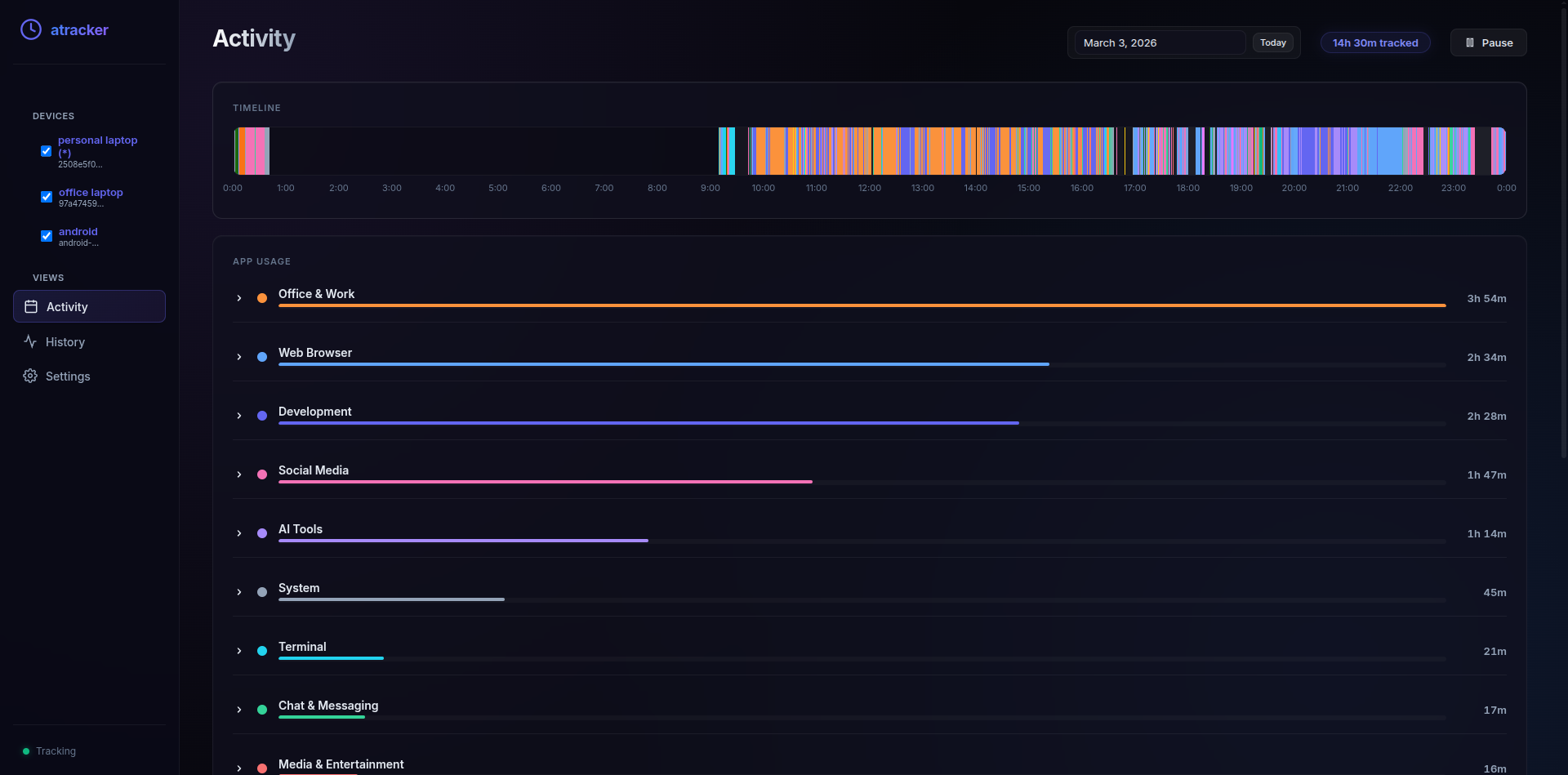
Why I “Vibecoded” My Own Time Tracker
I’ve always struggled with losing time without knowing where it went. I tried existing desktop activity watchers, but they didn’t fit my life:
-
Too complex: Over-engineered for my simple needs.
-
Linux Hurdles: Many struggle to run consistently on GNOME + Wayland.
-
Unreliable: They would stop tracking without warning.
-
Android Gaps: Digital Wellbeing is great, but it’s a “walled garden”—no easy sync, export, or integration.
So, I decided to build my own solution using Antigravity (with Sonnet/Opus and Gemini 1.5 Pro as a backup). I’m not an Android dev, but I understood the logic well enough to “vibe” the code into existence.
The Breakthrough: Android + Tailscale
Despite having zero background in Android development and finding the built-in Android Studio AI agents frustrating, I pivoted. I started chatting directly with Gemini, moving code into Android Studio bit by bit.
The result? A functional backend-heavy app that tracks like Digital Wellbeing but stays under my control.
Then, I discovered Tailscale, which changed everything.
-
Personal VPC: It feels like having a private Virtual Private Cloud for just my devices.
-
No VPS Needed: I can access a website deployed on my laptop directly from my phone.
-
Generous Free Tier: 100 devices for free is plenty for my home/office setup.
My Architecture & Sync Flow
I currently manage three main nodes: a Personal Laptop (Ubuntu), an Office Laptop (Windows), and an Android Phone.
-
The Master Node: My personal Ubuntu laptop acts as the “Source of Truth.”
-
The Sync Strategy:
- Android: Toggle Tailscale and sync/upsert data directly to the master.
- Office: Sync data via Drive, then merge it into the master locally.
-
AI Auto-Categorization: Since the raw data is messy, I built a workflow to auto-categorize activities using AI. I use Cline (or Antigravity) to run these workflows.
-
Models: I prefer Claude Opus or Gemini Pro for this logic.
-
Pro Tip: I avoid GPT-4o-mini/OSS models for code-heavy tasks; they tend to break the structure. I stick to the heavy hitters for accuracy.
-
Check out my prompt: If you’re using Claude Code, Cline, Roo Code, or Kilo Code, you can see how I handle the logic in
.agents/workflows/auto-categorize.md.
Key Takeaways
-
Understand the “How,” not just the “Detail”: You don’t need to be a senior dev to build tools if you understand the architectural logic.
-
Tooling matters: Tailscale + modern LLMs (Sonnet/Gemini) turn a “wasted afternoon” into a productive deployment.
-
Vibecoding is real: It’s about maintaining the flow and using the right model for the right task.